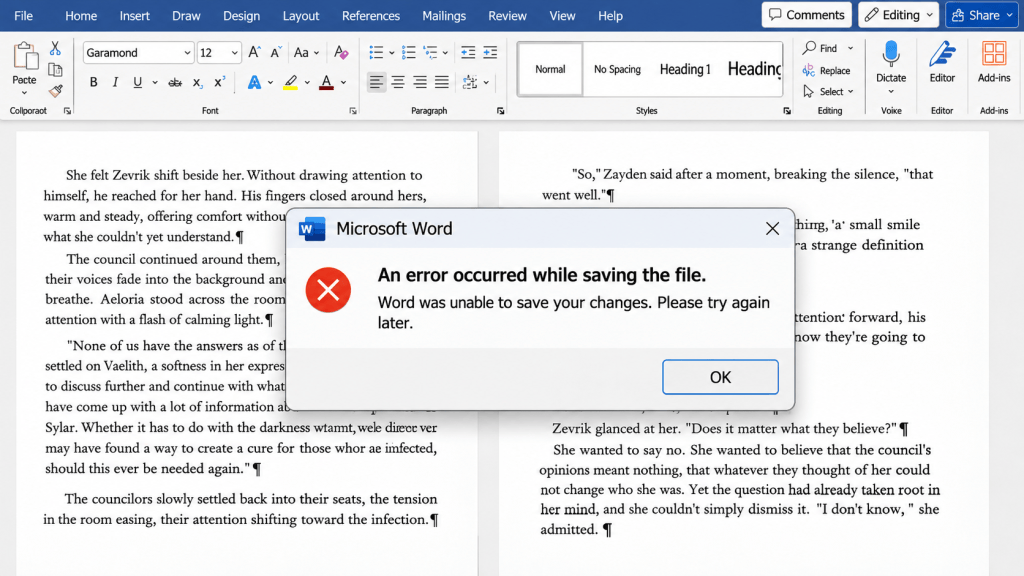
An indie author’s worst nightmare, a Microsoft Word meltdown, and a very important reminder to BACK UP YOUR BOOK!
You know those days when everything is finally coming together? You’ve put in the hours, checked off the edits, and you’re finally on the home stretch? Yeah… apparently, the universe had other plans.
I was on the FINAL leg of edits for Vairun Dawning. Four rounds of edits in, almost ready to celebrate, and then it all went up in flames.
Okay, not ALL of it. But the last four chapters? Yeah, those decided to play with fire.
Here’s how it happened.
Today, Outlook was having some issues, but nothing indicated there was a problem with Microsoft Word itself. So, I sat down with my Starbucks, my writing brain switched on, and got to work bright and early.
3:30 rolls around. I’M DONE!
Four rounds of edits, and I had finally made it through the manuscript. It was time to celebrate, move on to my dedication and acknowledgments, and start preparing for formatting.
Except… not so fast.
While working on my dedication and acknowledgments, something caught my eye. A character’s name that I KNOW I had fixed was suddenly back to its old spelling.
Hmm. Weird.
I scrolled a little further.
Another word was wrong. Then I noticed a chapter title missing.
WHAT. WAS. HAPPENING?
Apparently, despite AutoSave being turned on, and despite me clicking save before closing the document, Microsoft Word had somehow saved an older version of my manuscript to my backup flash drive.
And guess what?
Three chapters were no longer edited. My epilogue was missing its edits, too.
Cue the complete author crash-out.
I closed everything, pulled up the supposedly backed-up copy from my flash drive, and guess what? It wasn’t updated either.
I cannot even begin to explain the level of frustration that comes with spending hours editing, believing your work is safely saved, only to discover that it isn’t.
But here’s the thing: I’m an indie author. There is no publishing team behind me, no assistant managing my files, and no IT department to call when technology decides to betray me. Sometimes it’s just me, my coffee, my manuscript, and apparently Microsoft Word plotting against me.
A VERY IMPORTANT LESSON FOR MY FELLOW AUTHORS
If there’s one thing I’m taking away from this disaster, it’s this:
NEVER trust a single save location.
Here’s what I’ll be doing moving forward, and what I recommend you do, too:
- Save your manuscript regularly throughout the editing process.
- Keep separate copies of individual chapters.
- Back up your work to an external flash drive.
- Use a cloud backup, such as Google Drive or Google Docs, as another layer of protection.
- Double-check that your backups are actually updating. Don’t just assume they are!
- Keep multiple versions so you can recover previous edits if something goes wrong.
Because apparently, having AutoSave turned on doesn’t mean you’re actually safe.
So, What’s Next?
Honestly? I’m taking a couple of days off.
I’m frustrated, exhausted, and absolutely not in the mood to stare at another chapter right now.
Come Monday, I’ll be back at it, re-editing those final three chapters and the epilogue (because apparently my book wasn’t quite ready to let me go).
The good news? The manuscript isn’t gone. The story is still there. I know what needs fixing, and I’ll get it done.
It just means my February 24, 2027, release journey has hit another little speed bump.
Moral of the story: Back up your books, authors. Back them up again. And then back them up one more time.
Now, if you’ll excuse me, I’m going to go enjoy a few days where Microsoft Word and I are not on speaking terms.
— JW Blink
An indie author, currently questioning her relationship with technology.


Leave a Reply